CozyCot Ads

Showing posts with label Computer. Show all posts

Sunday, April 10, 2011

Images not loading - many sites - Chrome 2.0.172.30 - Google Chrome Help

Images not loading - many sites - Chrome 2.0.172.30 - Google Chrome Help

This website really helped me soft my problem with errors seeing pictures.


I just typed "why i cannot see image in chrome" in google search and came to this website. and yes I can see the pictures immediately after re-installing Java. No restart needed for my Win 7!

So if you have the same problem as me, please just go re-install your java. Now I am using Version 6.
You can download Java from this link here. http://java.com/en/download/chrome.jsp?locale=en&host=java.com

or just do your searches here http://www.oracle.com/technetwork/indexes/downloads/index.html

You may want to surf around my blog.If you like, please visit my Support page.
*Lynspirations
Share and learn. Learn and share :)

Thursday, February 24, 2011

Windows 7 - Service Pack 1

Just as Singapore is having its election (another cycle has come to passed), Windows 7 Service Pack 1 is also launched.

It just feels so sick (yes, sick) that they cannot call it another name but Service Pack 1. (yes, as sick as that lump in my throat, if you know what I mean).

Here was what I did:

I went to install it, a good 5 minutes and the restart cleared my MSN history and all that I was doing before the restart. And I got this screen after all the dust settled themselves.

Click on the pictures to view their normal size


And this came up. Yes, my taskbar floats at the top of my screen so that it is easy for me to see what time it is (I don't have a watch and if you want to give me one, please do donate to me at my Support page. )


Then It (by "it" I mean Windows 7) tells me that the installation is successful:

Windows 7 Service Pack 1 for x64-based Systems (KB976932)
Installation date: 2/24/2011 11:07PM
You may need to restart your computer for this update to take effect.
Installation status: Successful
Update type: Important
Windows 7 Service Pack 1 is a recommended collection of updates and improvements to Windows that are combined into a single installable update. The service pack can help make your computer safer and more reliable. A typical installation will take about 30 minutes to complete, and you will have to restart your computer about halfway through the process.
More information:
http://go.microsoft.com/fwlink/?LinkId=206783Help and Support:
http://go.microsoft.com/fwlink/?LinkId=206784


Please do this update!

It will really take a good half an hour to complete the whole thing.
Also, do ignore some of the stupid stuff (like Silverlight or bitlocker updates) if you really do not need it. But do this first. This IS important!!!

Hi You may want to view my other Computer posts or surf around my blog. If you like, please visit my Support page.
*Lynspirations
Share and learn. Learn and share :)

Tuesday, February 15, 2011

Internet 2011

I read with interest the article on The Secret behind Searches or something like that. This article was published in the Today Paper on 14 February 2011.

As Henry Tam, SmartBrief's chief product officer, puts it: there are plenty of great ideas out there, it all comes down to execution.

It is easy for any one to give ideas but sometimes, one may be lost in the mire of ideas or simply get too carried away with the micro of things. Or one somehow loses focus of the end point.

My point is, there maybe a million ways to thwart Google's god-like search engine's clutches. Who knows, there maybe more than a few ways to be listed in the top searches, other than paying good money (to Google) for it. 

The end result is simply relevance.

Imagine I am going through my pile of clothes, looking for my pink scarf that will match my pink heels. The first thing that catches my attention is a pink lacy bra. I may hold it in my hands for a few second while deciding if I should wear it, but I do want to continue my search for my pink scarf. Another pink item turns out, this time a pink night gown, a no-no for going out. And my search continues.

How relevant are the bra and night gown? Enough to be the top items that comes up, but they are not what I wanted.

Or, in another scenerio, my mother happens to be searching in the room next door. Can u say that we are looking for the same item since the time zone is the same? Oh, I do not want to bring that pink apple she just dug out of the fridge!

Will Google be able to sieve out who they can trust? I certainly hope they can, because I trust them.

Saturday, February 12, 2011

Clouds Theme (Aero) - Chrome Web Store

Just changed my theme for my Chrome and this is so awesome. You should use it too!

Click on the picture to see an enlarged view (so that you can see it more CLEARLY ;p)


I am using this Clouds Theme (AERO) from the Chrome Web Store.

Well you can see the arrow that I pointed down. it is actually the status bar.
This is important to me and for the so-many-themes I have tried, it was really difficult to see the status or the link which my cursor hovers over.

Plus being an ESFP, I really want something that is dynamic!

I normally want a preview of where the link will lead me to, before I open them. I still do this despite my anti-virus protection (read my post on virus protection here). I am using Vipre.

You may want to view my other Computer posts or surf around my blog. If you like, please visit my Support page.
*Lynspirations
Share and learn. Learn and share :)

Entanglement by Gopherwood Studios

This is fun!

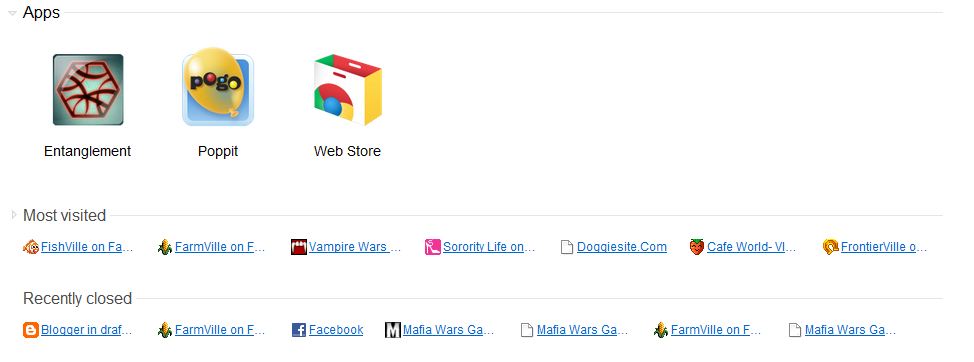
When I open Chrome today ( to go to Facebook), I saw these 3 new games on my tab.

Click on the pictures to see them in normal sizes


Then I clicked on Entanglement and it seems like a game. There are no instructions and I just clicked anyhow.

After a few tries, I got 22 and I decided to submit it. I am this Cheerful Bewildered Flower ;p
See the top scores! WoW!


Did a search on entanglement and found these:


I am going to try the few other games next.

You may want to surf around my blog. If you like, please visit my Support page.
*Lynspirations
Share and learn. Learn and share :)

Sunday, January 23, 2011

How to open files faster

I did this screen shot in 2010 but just decided to pull it out of my storage ;p

Well if you want to know how to open files faster, here is a tip for you. Use only 1 click instead of 2 clicks to open. Sometimes you know, the mouse just doesn't click properly.

And you want to make it faster too.

Well, here is the trick.

Step 1: Open Window Explorer (Short cut is Windows + E)
Step 2: Click on Tools
Step 3: Click on Folder Options
Step 4: Select 'Single-click to open an item (point to select)'
("Underline icon titles only when I point at them" will be automatically selected)
Step 5: Click "OK"

*Read my post on all the Windows Short-cuts here.
\


You may want to view my other Computer posts or surf around my blog. If you like, please visit my Support page.
*Lynspirations
Share and learn. Learn and share :)

How to do Data Validation in Microsoft Words

I did this for a colleague at work.


Data validation restricts the content of the selected cells.

To set Data Validation, first select the Column or the fields that you want to put the restriction on, then:
Step 1: Select Data
Step 2: Select Data Validation
Step 3: Select Data Validation
Step 4: Under Settings, select List


 Hope this helps you too!


You may want to view my other Computer posts or surf around my blog. If you like, please visit my Support page.
*Lynspirations
Share and learn. Learn and share :)
Thursday, December 9, 2010

New Facebook... again!

Seems like Facebook is having their periodic updates again...

There are 5 change for facebook, for users:


Bio - Introduce Yourself
Your profile begins with a quick summary of who you are, from what you're doing now to where you grew up.
Update your profile to give friends the most current information about you.

Photos - Show Friends Your Tagged Photos
Recently tagged photos show friends what you've been up to. Your privacy settings have not changed. Only people you've allowed to view photos you're tagged in will see these photos.
To hide a photo, roll over it and click X.

Navigation - Get Around More Easily
Now you can navigate your profile from one central place, making it easier to get to your info, photos and more.

Education and Work - Share Your Experiences
Now you can share more about your work and education, and even include the friends who were there with you.
Add individual projects, classes and other experiences by clicking the Edit link.


Interests - Showcase Your Interests
Now your profile is more visual and includes new interests, such as your favorite sports, people and more.
To add something new, click the Edit link at the top of each section.


You may want to surf around my blog. If you like, please visit my Support page.
*Lynspirations
Share and learn. Learn and share :)

Sunday, October 17, 2010

Windows Live Essentials 2011 - Pinned to Task Bar

Still exploring the Windows Live Essential 2011. It can pin your favorite person to the task bar!


Read my other posts on the MSN here and here.

You may want to surf around my blog. If you like, please visit my Support page.
*Lynspirations
Share and learn. Learn and share :)

Saturday, October 16, 2010

Windows Live Essentials 2011

I read that you can update your status via MSN and Facebook at the same time!

Saw this link for Windows Live Messenger on Facebook ( http://www.facebook.com/apps/application.php?id=30713015083 ) and I decided to go search for the truth!

And yes, MSN confirmed it (read it here) and I think that I should go download the latest version (Windows Live Essentials 2011) and check if it is compatible with my Windows 7.


Will update more!

You may want to surf around my blog. If you like, please visit my Support page.
*Lynspirations
Share and learn. Learn and share :)

Windows Live Essentials 2011 Screenshots

I was waiting so anxiously for the status updates to go to Facebook but it didn't!

Anyway here are the screens you will see when you have the new application installed:

I was prompted to connect to 3 services: FaceBook, MySpace or LinkedIn

Obviously I went for FaceBook... And clicked the "Connect with Facebook"

Then I was asked to put in my Facebook log-in email and password...


It then told me what are the things that MSN is asking for? The usual stuff actually


And then, everything went black! For a good 10 second...


The screen then suddenly notified me that the FaceBook connection is done! (I was thinking, great, now I can share my MSN status to Facebook)


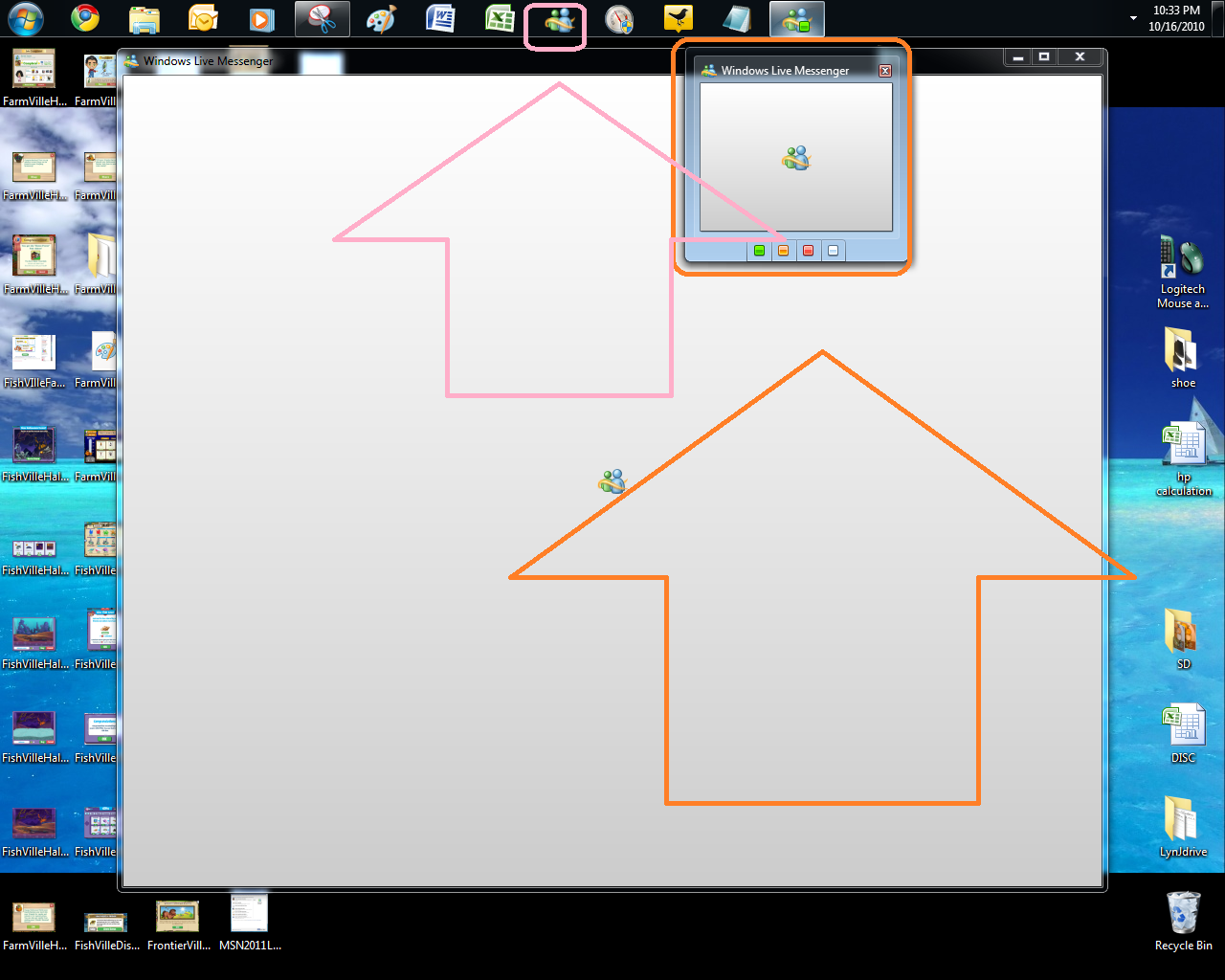
As you can see the new MSN (in orange) is really cool, it lets you see the status besides the usual preview. As you can see, the old MSN (in pink) is still locked onto my bar.


Then the welcome message comes...


The new MSN is really glaring! it lets you see the Facebook Updates (circled in orange) on top of the usual stuff of your friend's MSN activities...


Even chats appear different... Of course, why would they do it so good that you don't have to upgrade later?


And then the pictures loaded from Facebook, (after I think 2minutes?)


And you can also see the same thing on the MSN webpage (when you actually log in to the msn.com page)


I am still waiting for my MSN status update to go to FaceBook... 

 You may want to surf around my blog. If you like, please visit my Support page.
*Lynspirations

Share and learn. Learn and share :)

Thursday, September 16, 2010

MSN allows you to call now!

I have been amazed at how fast the market has been moving... Indeed in competitive Singapore, things gotta move fast!

Well, in the world of international voice calls, it seems that the pace is not slow either!

MSN now offers free calls too!
I haven't tried it yet because I don't have a video camera but maybe I will just get one to enjoy this free call!

:)

Hope this works out for you!


 You may want to surf around my blog. If you like, please visit my Support page.
*Lynspirations
Share and learn. Learn and share :)

Sunday, September 12, 2010

Blog Setup

Yesterday I met up with Catherine and sent her this:

1.       you need Google account
2.       draft.blogger.com (sign in)
3.       create a blog


4.       Put in Blog title and URL name


5.       To modify the template: click on design


6.       Click on template designer

7.       Select the changes for templates, background, layout and advanced settings. Then click on "Apply to Blog" to save the settings.

8.       Create a post and put in Title, Content, Label and click on Publish Post

9.       Blogger will tell you it is successful.


10 To put up a picture, goto the screen to add in your post then click on Add an Image.


Hope this helps!


 You may want to view my other Blogging posts or surf around my blog. If you like, please visit my Support page.
*Lynspirations
Share and learn. Learn and share :)

Saturday, September 11, 2010

Learn Blogger

Wonder how Lyn did her Blog, so meet her at Bukit Batok MacDonald.


(*Written by Catherine)

Meeting Catherine

Met up with Cathering at Bukit Batok MacDonald.

Still meeting and will post more later!

You may want to surf around my blog. If you like, please visit my Support page.
*Lynspirations
Share and learn. Learn and share :)

Saturday, August 28, 2010

Google Phone Call

Wow this is impressive!

Google lets you make free phone call...


Took a printscreen from my Darling No 1's Google account... and edited the screenshot.

As you can see, he made the call and I took the screen shot at 2.54 minutes. (He was using FireFox)

The call connected almost instantly and what is most amazing, is that you only need to download a simple application. No long waiting time and it is really hassle free! And it works for Chrome too!

Another one up!


You may want to surf around my blog. If you like, please visit my Support page.
*Lynspirations
Share and learn. Learn and share :)

Saturday, July 17, 2010

Farm CoOp

Farm CoOp

Oh just to show you my last Co-Op... (on 2 May 2010). It is really sometime back. I think I got to do more jobs!


If you noticed my windows bar is at the right side. This was at my dear's PC I think. Wow, time really flies!

You may want to view my other FarrnVille posts or surf around my blog. If you like, please visit my Support page.
*Lynspirations Share and learn. Learn and share :)

Thursday, July 15, 2010

Blogger Stats - you got to see this

WOW

This is a HUGE wow. Blogger has done it again. Or Google, I don't care.

I just saw this thing call Stats (on draft.blogger.com ) and you got to try this.

The Stats are so easy to see! Thank you Blogger, I am your forever fan.

I love Google!


Stats are there for you, for pages that are being viewed now, last day, last week, last month and all time. Go to go!

Let me know if you love Google too *grins*

You may want to surf around my blog. If you like, please visit my Support page.
*Lynspirations
Share and learn. Learn and share :)

Saturday, June 12, 2010

Star Hub

Had another week passed me by without a blog update from me.
Was unable to write much because of my episodes with Starhub.
Apparently, it was their fault. Two months ago when I called them, the staff pushed it to my router. They got me to connect my pc directly to the modem and also to restart the modem when starting a new connection.
It worked for that few hours of direct connection and I couldn't prove it was the network at fault. I let it rest and accepted reluctantly that maybe it was my router. But the staff did not offer me any reason why my router was working all along and just decided to go on strike! They say it is faulty due to wear and tear but I am not buying it!
This post is written on 10 June and posted only today (12 June).

Wednesday, May 26, 2010

MSN File Sending Progress

My Darling No 1 sent me three photos... and I just realised that the MSN shows the percentage of the files during the sending (aka progress).


Of course, my main intention is to show the picture that he was sending me. This picture was taken when I was cleaning my Darling No 1's cupboard. The Naughty Boy and Naughty Girl were supervising my cleaning! I thought to let them have a go at the cupboard. So I put them into the cupboard to check if it is clean enough!

Darling No 2 got bored and yawned while I took the photograph. Darling No 3 looked ready to jump off the shelf (but on hindsight, she would never dare!) and I quickly put them on the ground.

Actually if my memory serves me correctly, Darling No 1 actually closed the cupboard door! None of them made any sound! It really tickled both of us!

Darling No 1 commented how nice Darling No 2's furnishing were... Just over 3 years ago! Okay okay, I did not take care of them as well as I would like to but I am already doing my best, squeezing what little time I have at home now for them... Yeah, it's late and I need to grab some sleep! Or I would be late for work tomorrow (these 3 days we are told to report to work 1/2hr earlier as we are in the midst of being assessed by the EduTrust assessors, more of that later!)

Goodnight!

You may want to surf around my blog. If you like, please visit my Support page.
*Lynspirations
Share and learn. Learn and share :)

Dreamstime

CozyCot Adv

Subscribe Now: standard